



Best Revit Add-ins for Architects: Productivity Tools vs Façade Workflow Systems

Not all add-ins solve the same problem. Here’s why façades need a workflow layer like Kora.

Table of contents

Subscribe to our newsletter

Thank you! Your submission has been received!
Oops! Something went wrong while submitting the form.
Design to Fabrication
pyRevit vs Kora Studio: Facade Design Workflow or General Revit Productivity?
pyRevit is a free, open-source Revit extension that speeds up general tasks — sheets, parameters, selections, audits. Kora Studio is a facade-specific workflow that speeds up panel iteration, material zones, and model coordination. Different problems at different scales.
Design to Fabrication
Snaptrude vs Kora Studio: Facade Workflow in Revit or Conceptual BIM Platform?
Snaptrude handles whole-building conceptual design in the cloud before a project reaches Revit. Kora Studio handles facade-specific iteration inside Revit once the project is there. One is broad and early. The other is specialized and mid-design.

Introduction

Plugins can make Revit easier, but they don’t all solve the same problem. Some save minutes on tasks. Others save weeks by reducing redraw cycles and documentation drift. Kora is in the second category: a façade workflow system built to keep iteration fast, buildability-aware, and coordinated.

Productivity plugins vs workflow systems
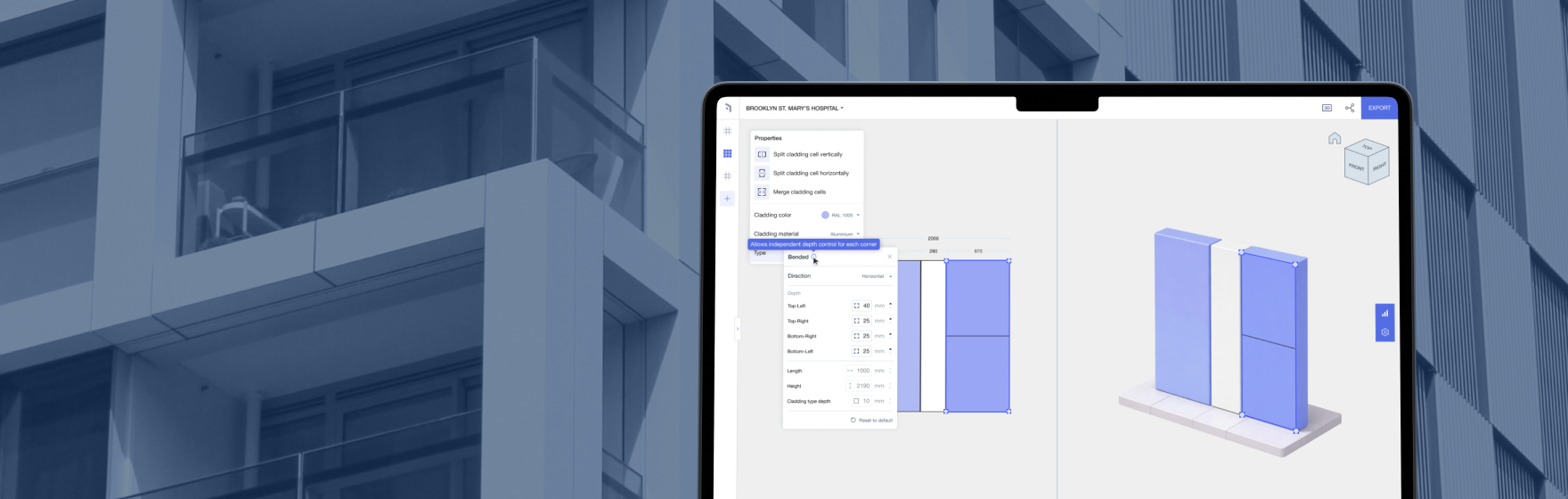
Productivity plugins speed general tasks like sheets and parameters. Workflow systems change how a specific scope is designed and delivered. Kora is a workflow system for façade design.

Why façades need their own workflow layer

Façades change constantly due to design reviews, planning, cost, and constructability. Manual workflows make change expensive—triggering redraw loops and fragile documentation. Kora is designed to make change less costly.

Example with productivity toolkits

Productivity toolkits can be useful for general automation, but they don’t typically solve façade iteration pain when every change breaks outputs. Kora targets that: system logic, iteration stability, and aligned deliverables.

Minutes vs weeks

Saving minutes is valuable. Avoiding a full redraw cycle after a façade change can save days or weeks. That’s where Kora compounds value.

Who should pilot Kora

Project architects and BIM leads on façade-heavy projects where iteration and coordination consume time.


Is Kora just a productivity plugin?

No—Kora is a façade workflow system focused on systems and iteration outcomes.

Should we still use productivity plugins?

Yes. They complement Kora by speeding general Revit tasks.

What does Kora improve most?

Façade iteration speed, buildability awareness early, and documentation stability.

Who benefits most?

Teams with façade-heavy scope and frequent design changes.

Book a Demo

See how Kora Studio transforms façade design into build-ready deliverables in minutes.

Latest Insights

Design to Fabrication

AGACAD vs Kora Studio: Which Revit Facade Plugin Do You Need?

AGACAD and Kora Studio both work inside Revit, both handle curtain walls — but they serve completely different project phases. AGACAD produces LOD 400 fabrication documentation. Kora Studio accelerates LOD 100–300 design iteration. Choosing the wrong one costs weeks.
Revit Workflows

Best Revit Add-ins for Architects: Productivity Tools vs Façade Workflow Systems

Not all add-ins solve the same problem. Here’s why façades need a workflow layer like Kora.
Design to Fabrication

Dynamo vs Kora Studio for Revit: Facade Workflow or Visual Scripting?

Dynamo gives Revit users powerful visual scripting for custom automation — including facade panelization. Kora Studio gives architects a guided facade workflow inside Revit without writing a single node. Different tools, different skill requirements, different maintenance costs.

