


Revit Façade Tools: What to Use for Fast, Buildable Design (and Why Kora Exists)

A practical guide to façade tool categories used alongside Revit—and where Kora fits for architects.

Table of contents

Subscribe to our newsletter

Thank you! Your submission has been received!
Oops! Something went wrong while submitting the form.
Design to Fabrication
pyRevit vs Kora Studio: Facade Design Workflow or General Revit Productivity?
pyRevit is a free, open-source Revit extension that speeds up general tasks — sheets, parameters, selections, audits. Kora Studio is a facade-specific workflow that speeds up panel iteration, material zones, and model coordination. Different problems at different scales.
Design to Fabrication
Snaptrude vs Kora Studio: Facade Workflow in Revit or Conceptual BIM Platform?
Snaptrude handles whole-building conceptual design in the cloud before a project reaches Revit. Kora Studio handles facade-specific iteration inside Revit once the project is there. One is broad and early. The other is specialized and mid-design.

Introduction

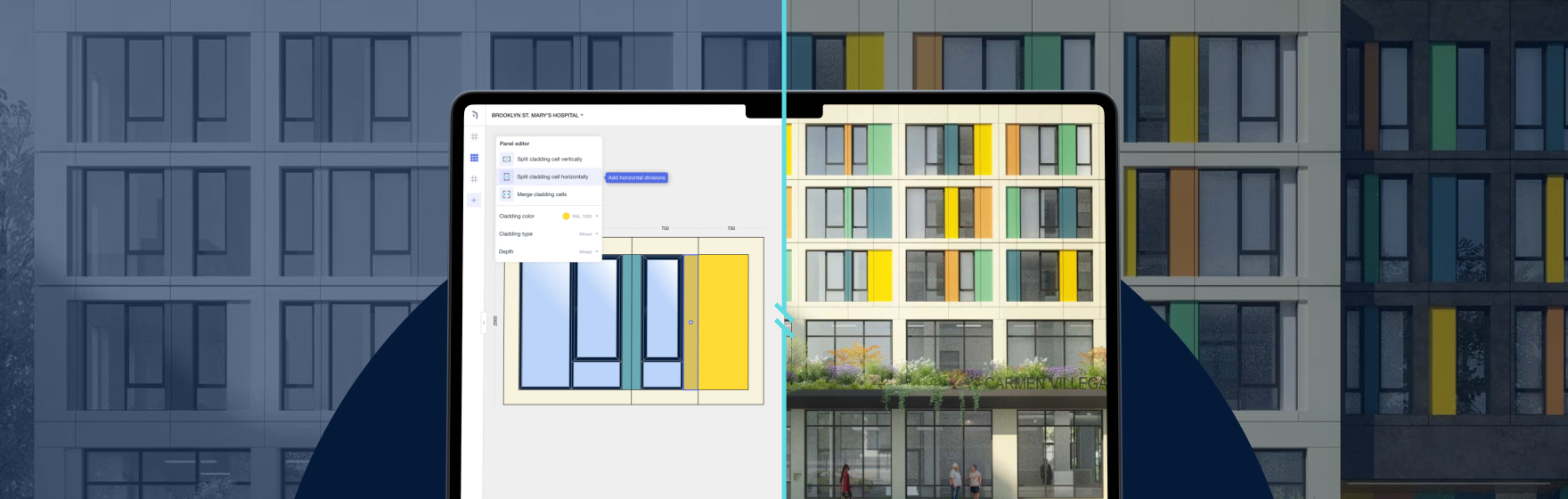
“Revit façade tools” isn’t one category—it’s a stack. Most frustration comes from using the right tool at the wrong stage. Kora exists to solve the bottleneck many architects feel first: early façade system decisions in Revit—when iteration is constant and change cost matters.

The façade tool stack

Concept platforms support broad early moves; computational tools enable advanced geometry; productivity plugins speed general Revit tasks; fabrication/detailing tools add late-stage precision; Kora is the missing façade workflow layer that keeps iteration fast and buildability-aware early.

Why Kora is different

Kora helps you explore quickly, keep creative control, stay aware of buildability, keep documentation aligned through change, and remain delivery-agnostic (prefab or traditional).

Example: three directions by tomorrow

Kora helps generate believable, system-thought options fast, so reviews are more productive and late reversals are reduced.

Where conceptual platforms fit (Snaptrude example)

Broad conceptual platforms can be useful early. But façade systems require modules, zoning, joints, and documentation stability—Kora is built specifically for that moment inside Revit.

Decision rule

Broad concept: conceptual tools. Façade systems in Revit: Kora. Validation: analysis tools. Advanced geometry: computational tools. Late-stage detailing: fabrication tools.


Is Kora a standalone platform?

No—Kora is designed to work inside Revit.

Does Kora lock me into prefabrication?

No. You decide prefab or traditional later.

Does Kora replace computational tools?

No—Kora is guided for everyday teams; computational tools are for specialist geometry.

What's Kora's main advantage?

Faster iteration with creative control and buildability awareness early.

Book a Demo

See how Kora Studio transforms façade design into build-ready deliverables in minutes.

Latest Insights

Design to Fabrication

AGACAD vs Kora Studio: Which Revit Facade Plugin Do You Need?

AGACAD and Kora Studio both work inside Revit, both handle curtain walls — but they serve completely different project phases. AGACAD produces LOD 400 fabrication documentation. Kora Studio accelerates LOD 100–300 design iteration. Choosing the wrong one costs weeks.
Revit Workflows

Best Revit Add-ins for Architects: Productivity Tools vs Façade Workflow Systems

Not all add-ins solve the same problem. Here’s why façades need a workflow layer like Kora.
Design to Fabrication

Dynamo vs Kora Studio for Revit: Facade Workflow or Visual Scripting?

Dynamo gives Revit users powerful visual scripting for custom automation — including facade panelization. Kora Studio gives architects a guided facade workflow inside Revit without writing a single node. Different tools, different skill requirements, different maintenance costs.


