




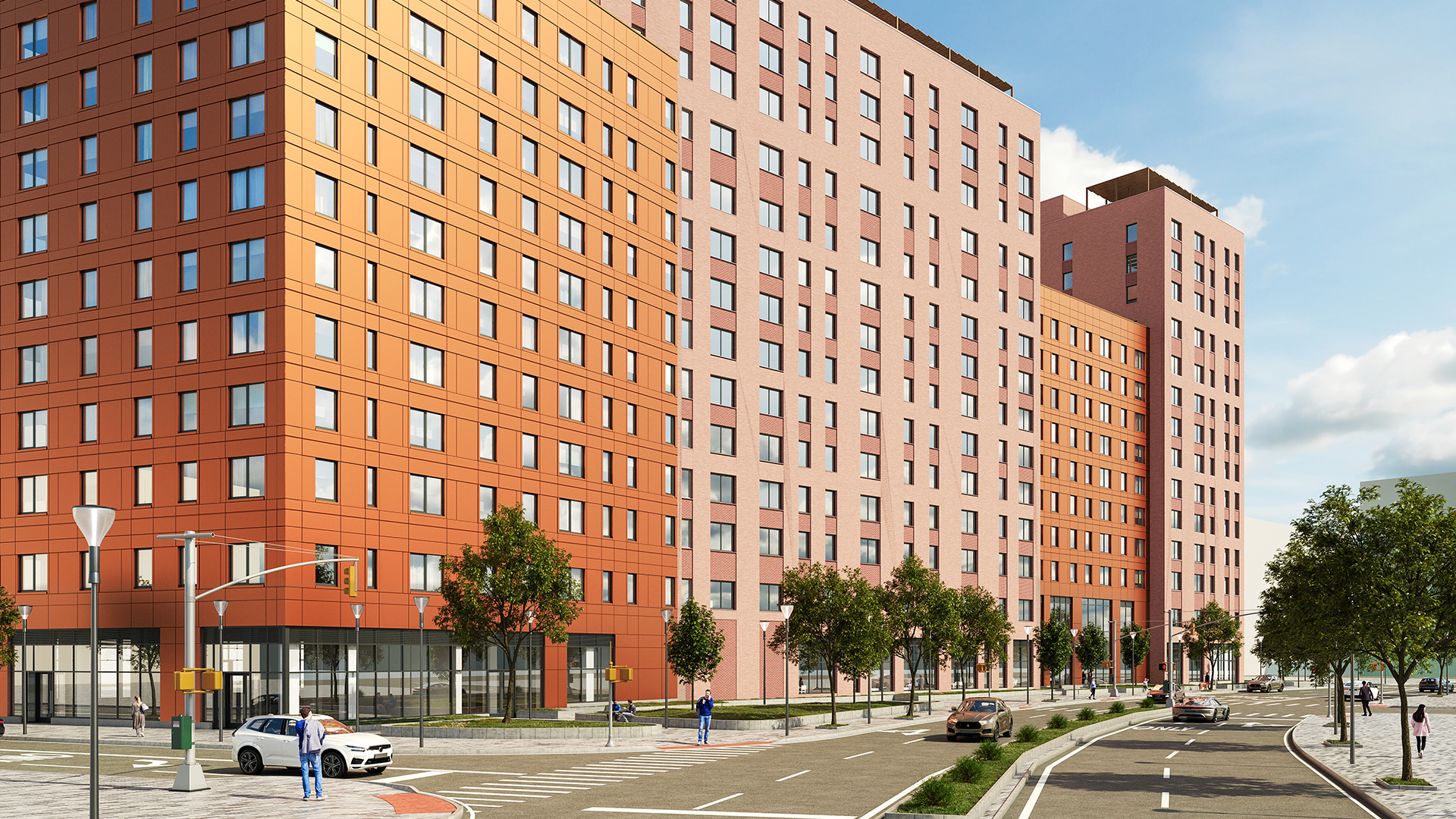


Rhino.Inside Revit embeds the full Rhino 3D modeling environment and Grasshopper visual scripting engine directly inside Autodesk Revit — giving computational designers access to advanced parametric geometry, algorithmic panelization, and complex surface logic without leaving the Revit project. Kora Studio is a Revit-native facade design workflow that automates panel layout, module rhythm, material zones, and model coordination from LOD 100 through LOD 300 — through guided editors, without Grasshopper definitions, without scripting skill.
Both tools address facade work inside Revit. But Rhino.Inside Revit and Kora Studio target different complexity levels, require different team capabilities, and impose different time-to-result ratios. Rhino.Inside Revit is the strongest tool available for facades that cannot be built with standard Revit curtain wall logic — double-curved geometry, algorithmically varied panels, attractor-point-driven patterns. Kora Studio is the fastest tool available for the structured facade iteration that makes up the majority of architectural facade work — grid-based curtain walls, modular panel systems, material zone exploration, and coordinated documentation.
What Rhino.Inside Revit Does (and Does Well)
Rhino.Inside Revit — developed by Robert McNeel & Associates — connects Grasshopper's node-based parametric engine to Revit's BIM data model in a live, bidirectional link. Changes made in Grasshopper appear immediately in the Revit viewport. Revit elements can be read, modified, and created directly from Grasshopper definitions.
For facade work, Rhino.Inside Revit enables capabilities that native Revit cannot match. Computational designers use Grasshopper to generate complex curtain wall panel families driven by attractor-point algorithms, create double-curved facade surfaces with rationalized panelization, populate facades with parametric components that vary by orientation, floor level, or solar exposure data, and push those geometries into Revit as native families with full BIM data. Courses like ThinkParametric's "Managing BIG Facades with Rhino Inside" teach this design-to-production workflow specifically for large-scale parametric facades.
Rhino.Inside Revit also handles non-facade computational work: complex roof geometry, structural optimization, site analysis, generative space planning. Like Dynamo, Rhino.Inside Revit is a horizontal computational design environment — but with Rhino's NURBS modeling engine and Grasshopper's mature ecosystem of hundreds of plugins, Rhino.Inside Revit provides deeper geometric capability than Dynamo for advanced surface and panelization work.
Where Rhino.Inside Revit Creates Friction for Standard Facade Work
Rhino.Inside Revit's power requires three things that most architecture teams do not have on every project: a computational design specialist, time to build and maintain Grasshopper definitions, and a project that genuinely needs non-standard parametric geometry.
Specialist dependency. Building a Grasshopper definition for facade panelization requires expertise in parametric modeling, data tree management, and the Rhino.Inside Revit component library. That skill set typically belongs to one or two computational designers per firm — not the 10–15 architects who handle facade work day to day. When the specialist is on another project, the computational facade workflow stops.
Definition maintenance. Grasshopper definitions require upkeep. Rhino.Inside Revit version updates, Grasshopper plugin updates, and Revit API changes can break existing definitions. A definition built for one project rarely transfers cleanly to the next without modification. Teams invest weeks building custom parametric facade systems, then spend additional time adapting or rebuilding those systems for each subsequent project.
Complexity mismatch. Most architectural facade work does not require double-curved panelization or attractor-point algorithms. Most facade work involves grid-based curtain wall systems with modular panels, material zones, and coordinated documentation — work that needs speed and coordination, not computational geometry. Using Rhino.Inside Revit for a standard curtain wall facade is like using a CNC router to cut a straight line — the tool can do it, but the setup cost exceeds the task complexity. The Rhino.Inside Revit for facades article on the Kora Studio blog explores this script-vs-workflow decision in detail.
What Kora Studio Does Instead
Kora Studio is a Revit-native facade design workflow built for the structured facade iteration that Rhino.Inside Revit overserves — the 80% of facade work that needs speed and coordination rather than computational geometry. Kora Studio does not generate double-curved surfaces, does not run algorithmic panelization, and does not connect to Grasshopper. Kora Studio automates panel layout, material zones, module rhythm, and Revit model coordination from LOD 100 through LOD 300 — through guided editors that any architect can use without computational design training.
Kora Studio's three editors — Grid Editor, Window Editor, and Panel Editor — handle the facade-specific tasks that consume the most design time in Revit. Kora Studio Grid Editor controls panel spacing and module rhythm across the entire facade — work that in Grasshopper requires building a custom grid generation definition with data tree management for each elevation. Kora Studio Panel Editor applies and swaps material zones across hundreds of panels simultaneously — work that in Grasshopper requires conditional logic nodes and list management for material assignment. Kora Studio Window Editor manages opening placement, sizes, and parameters — work that in Grasshopper requires parametric family creation and instance placement definitions.
Architecture teams using Kora Studio report 68% faster design iterations, 84% fewer RFIs, and $42,000 saved per project on average — with savings scaling based on curtain wall scope, number of design iterations, and team size. The facade design in Revit guide explains how guided editors achieve comparable results to scripted workflows for standard facade iteration — in minutes rather than hours, accessible to any team member rather than one specialist.
The 80/20 Split in Facade Complexity
On a portfolio of 10 facade-heavy projects at a mid-size architecture firm, the distribution of facade complexity typically follows a predictable pattern. Eight of those ten projects feature grid-based curtain wall systems — modular panels, rectangular or slightly varied rhythms, material zones that shift by floor or elevation, standard mullion configurations. Those eight projects need fast iteration and coordinated documentation. Kora Studio handles that work.
Two of those ten projects feature genuinely complex parametric facades — algorithmically varied panels, double-curved surfaces, custom shading devices driven by environmental data. Those two projects need computational geometry that standard tools cannot produce. Rhino.Inside Revit handles that work.
The problem arises when firms use Rhino.Inside Revit for all ten projects because "we might need parametric capability." The eight standard projects absorb weeks of unnecessary Grasshopper setup and specialist time. Kora Studio eliminates that mismatch by providing facade-specific automation designed for the structured work that does not require scripting — freeing computational designers to focus on the projects that genuinely need their expertise.
Rhino.Inside Revit vs Kora Studio — At a Glance
- Core approach: Kora Studio — guided facade workflow / Rhino.Inside Revit — computational design environment
- Geometry capability: Kora Studio — grid-based curtain walls, modular panels / Rhino.Inside Revit — any geometry including double-curved, algorithmic
- Skill required: Kora Studio — any Revit user / Rhino.Inside Revit — Grasshopper + Rhino expertise
- Setup time: Kora Studio — immediate / Rhino.Inside Revit — hours to days per definition
- Maintenance: Kora Studio — zero definition maintenance / Rhino.Inside Revit — ongoing definition + plugin updates
- Best for: Kora Studio — 80% of facade projects (structured, modular) / Rhino.Inside Revit — 20% (complex, parametric)
- Primary users: Kora Studio — architects, designers, BIM managers / Rhino.Inside Revit — computational designers
- Cost: Kora Studio — early access (contact sales) / Rhino.Inside Revit — requires Rhino license (~$995)
Can You Use Both?
Yes — and firms with mixed portfolios should. Kora Studio handles the structured facade workflow on standard projects — fast iteration, buildability validation, coordinated output from LOD 100 through LOD 300. Rhino.Inside Revit handles the computational facade work on projects that genuinely require parametric geometry — algorithmic panelization, complex surface rationalization, data-driven facade variation.
Running both tools means the firm's computational designers spend time on projects that need their expertise rather than building Grasshopper definitions for standard curtain wall grids. Kora Studio covers the high-volume, structured facade work. Rhino.Inside Revit covers the low-volume, high-complexity work. The Revit add-ins for architects comparison explains how guided workflow tools and scripting environments coexist in practice.
Which One Is Right for You?
Choose Rhino.Inside Revit if the project requires parametric facade geometry that standard Revit curtain wall tools cannot produce — double-curved surfaces, algorithmically varied panelization, attractor-driven patterns, or custom shading devices generated from environmental data. Rhino.Inside Revit is the most capable computational design environment available inside Revit.
Choose Kora Studio if the team needs faster iteration on grid-based facade systems — modular panels, material zones, coordinated documentation — without scripting overhead or specialist dependency. Kora Studio handles the structured facade work that makes up most of an architecture firm's facade portfolio.
For teams evaluating which approach fits their next facade project, booking a Kora Studio demo takes 30 minutes and shows the speed difference between guided workflow and scripted automation for standard facade iteration. See the full range of Kora Studio use cases for architects, designers, and BIM managers on facade-heavy projects.
FAQ
Does Kora Studio replace Rhino.Inside Revit?
No. Kora Studio replaces the need for Rhino.Inside Revit on projects that do not require complex parametric geometry. For standard grid-based curtain wall facades — modular panels, material zones, coordinated documentation — Kora Studio delivers faster results without Grasshopper definitions. For double-curved surfaces, algorithmic panelization, and custom parametric logic, Rhino.Inside Revit remains the right tool.
Can Kora Studio handle parametric facade patterns?
Kora Studio handles structured parametric variation — panel rhythm, module spacing, material zone distribution, and window placement parameters — through guided editors inside Revit. Kora Studio does not handle algorithmically generated geometry driven by mathematical formulas, attractor points, or environmental data. That work requires Rhino.Inside Revit or Dynamo.
Does Rhino.Inside Revit require a separate license?
Rhino.Inside Revit requires a Rhino license (approximately $995 one-time purchase or subscription). Grasshopper is included with Rhino. Kora Studio pricing is available through early access — contact Kora Studio sales for current rates.
Which tool is faster for standard curtain wall facades?
Kora Studio is significantly faster for standard curtain wall facade iteration. Kora Studio's guided editors complete panel layout, material zone changes, and grid adjustments in minutes — without Grasshopper setup time, definition building, or data tree management. Architecture teams using Kora Studio report 68% faster design iterations compared to manual Revit workflows.
Who is Kora Studio designed for?
Kora Studio is designed for architects, designers, and BIM managers working on facade-heavy projects — multifamily residential, mixed-use developments, and large curtain wall scopes — who need faster design iterations inside Revit without computational design dependencies or specialist bottlenecks.


