




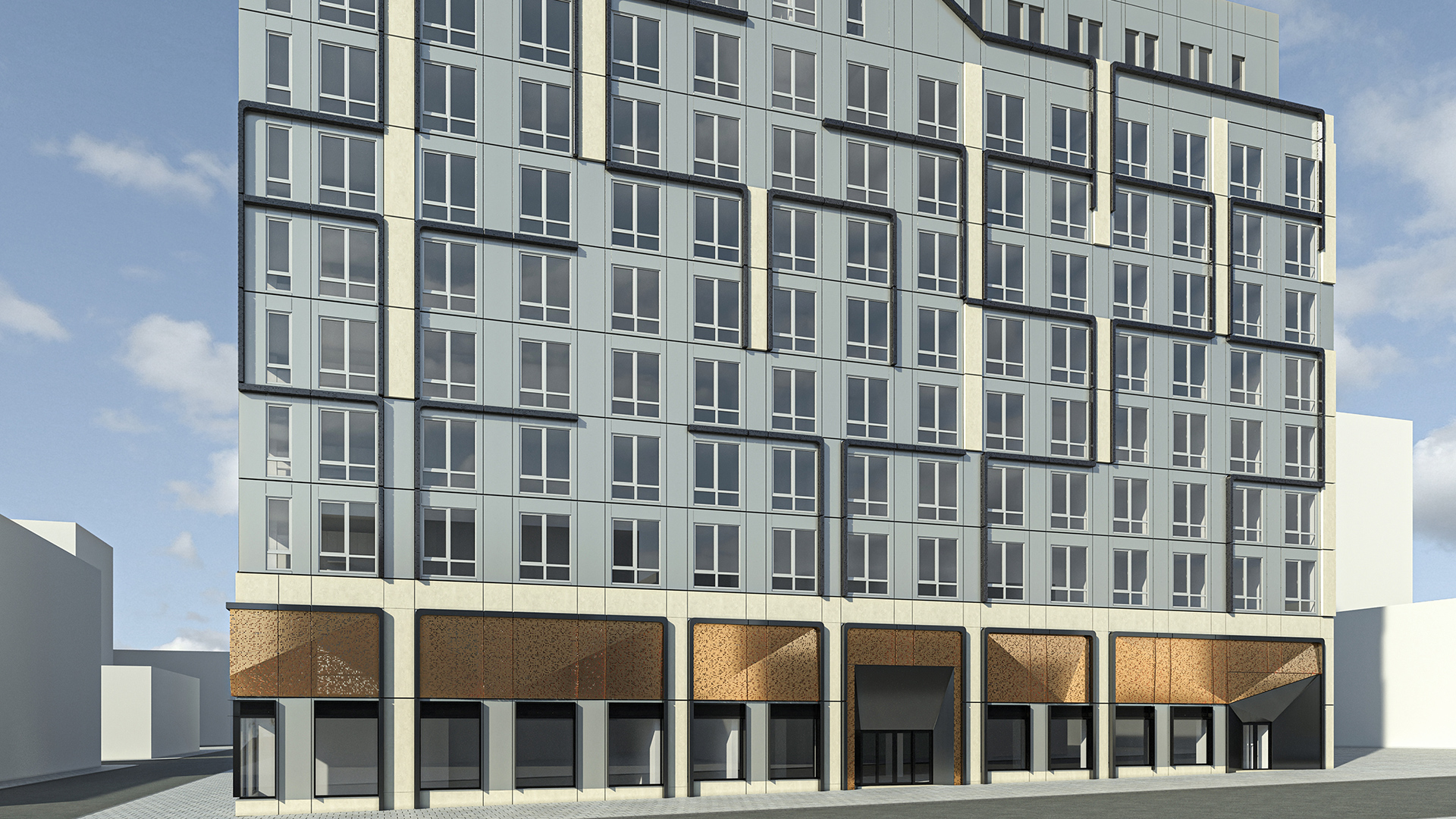


Snaptrude is a cloud-based conceptual BIM platform that covers whole-building design — massing, space planning, program validation, and early-stage collaboration — before a project moves to Revit for detailed documentation. Kora Studio is a Revit-native facade design workflow that automates panel layout, module rhythm, material zones, and model coordination from LOD 100 through LOD 300 inside Revit. Snaptrude and Kora Studio operate at different stages, in different environments, on different scopes.
Architecture teams sometimes compare Snaptrude and Kora Studio because both names appear in "Revit facade tools" searches. But Snaptrude is not a facade tool — Snaptrude is a building-level conceptual design platform that happens to export to Revit. Kora Studio is not a conceptual design platform — Kora Studio is a facade-specific workflow that works inside Revit after conceptual decisions are made. Understanding that scope difference prevents teams from buying a tool that solves a problem they do not have.
What Snaptrude Does (and Does Well)
Snaptrude is a cloud-based 3D building design platform with four modes — Program, Design, Present, and BIM — that cover the earliest stages of architectural work. Snaptrude 3.0, launched in 2025, positions the platform as an all-in-one design ecosystem for early-stage architecture.
Snaptrude's core value is speed at the conceptual level. Snaptrude's AI-powered features handle space planning, zoning compliance checks, site analysis, and healthcare programming — tasks that typically consume days of manual work during pre-design. Customers report 60–70% reductions in concept design time using Snaptrude compared to traditional workflows. Snaptrude supports real-time cloud collaboration, auto-generates BIM data and quantity reports, and exports to IFC, DWG, and FBX formats.
For Revit integration, Snaptrude exports models to Revit so teams can transition from conceptual massing to detailed documentation. Snaptrude's Spring 2026 release aims to push the platform's capabilities to LOD 300–350, the point at which architects could remain in Snaptrude through the end of schematic design before handing off to Revit.
What Snaptrude Does Not Cover
Snaptrude operates at the whole-building level during the earliest project stages. Snaptrude does not provide facade-specific design tools — no panel layout automation, no curtain wall grid editing, no material zone management, no facade scheduling, and no buildability validation for facade systems. Snaptrude's facade support is limited to basic geometry that transfers to Revit for further development.
Once a project moves from Snaptrude's conceptual environment into Revit, the facade work begins — and Snaptrude's scope ends. The panel rhythm decisions, material zone iterations, curtain wall coordination, and facade documentation that consume weeks of design time all happen inside Revit, outside Snaptrude's reach. For teams whose facade iteration bottleneck occurs inside Revit, a conceptual BIM platform does not address the problem.
What Kora Studio Does Instead
Kora Studio is a Revit-native facade design workflow built for the work that begins after conceptual design — iterating on facade panel layout, exploring material zones, adjusting module rhythm, and keeping the Revit model coordinated through design changes from LOD 100 through LOD 300. Kora Studio does not handle whole-building massing, space planning, or pre-design program validation. Kora Studio handles the facade-specific scope that general BIM platforms leave to manual Revit work.
Kora Studio's three editors — Grid Editor, Window Editor, and Panel Editor — work directly inside Revit on facade-specific tasks. Kora Studio Grid Editor controls panel spacing and module rhythm across the entire facade. Kora Studio Panel Editor applies material zones and swaps configurations across hundreds of panels without rebuilding the curtain wall. Kora Studio Window Editor manages opening placement, sizes, and parameters. Together, these editors keep the Revit model coordinated so architects do not rebuild documentation after each facade change.
Architecture teams using Kora Studio report 68% faster design iterations, 84% fewer RFIs, and $42,000 saved per project on average — with savings scaling based on curtain wall scope, number of design iterations, and team size. The facade design in Revit guide on the Kora Studio blog explains how Kora Studio maintains creative control while accelerating the iteration cycle.
Concept to Facade — Where the Handoff Happens
On a 200-unit multifamily project, the design team uses Snaptrude to explore three massing options in the first two weeks — testing floor plate efficiency, unit mix, site orientation, and zoning compliance. Snaptrude's AI delegates accelerate that process. The principal selects a massing direction, and the team exports the model to Revit for detailed development.
Now the facade work begins. The architect needs to establish panel rhythm across four elevations, test three material zone configurations, validate that the curtain wall system is buildable at the proposed module spacing, and produce coordinated schedules for a mid-design review. None of that work happens in Snaptrude. All of it happens in Revit.
Without Kora Studio, that facade iteration takes days of manual curtain wall modeling — rebuilding grids, retagging panels, repairing schedules after each change. With Kora Studio, the same iteration takes hours. Kora Studio Grid Editor sets up module logic per elevation. Kora Studio Panel Editor distributes material zones across all four facades. The Revit model stays coordinated through every iteration. The team reaches a buildability-validated facade direction faster — with documentation that reflects the current state of the design automatically.
Snaptrude vs Kora Studio — At a Glance
- Core function: Kora Studio — facade design iteration inside Revit / Snaptrude — whole-building conceptual design in the cloud
- Environment: Kora Studio — Revit add-in / Snaptrude — standalone cloud platform
- Design stage: Kora Studio — mid-design (LOD 100–300 facade work) / Snaptrude — pre-design and early concept
- Facade tools: Kora Studio — Grid Editor, Panel Editor, Window Editor / Snaptrude — none (basic geometry only)
- Primary users: Kora Studio — architects, designers, BIM managers / Snaptrude — architects, planners, project managers
- Typical output: Kora Studio — coordinated Revit model with facade schedules / Snaptrude — conceptual massing, BIM data, export to Revit
Can You Use Both?
Yes — and on projects where both conceptual speed and facade iteration speed matter, Snaptrude and Kora Studio cover different parts of the timeline without overlapping. Snaptrude accelerates pre-design and early concept work before the project reaches Revit. Kora Studio accelerates facade-specific iteration once the project is in Revit and facade decisions need to be made, tested, and coordinated.
Snaptrude and Kora Studio are sequential tools that serve different project phases. Snaptrude exports a validated massing model to Revit. Kora Studio takes that Revit model and builds out the facade — fast iteration, material zone exploration, buildability awareness, coordinated documentation. The design-to-fabrication gap article on the Kora Studio blog explains how facade coordination during design prevents downstream rework. The Revit add-ins for architects comparison covers how different tools fit different workflow phases.
Which One Is Right for You?
Choose Snaptrude if the architecture team needs faster conceptual design — whole-building massing, space planning, zoning compliance, and stakeholder collaboration before the project moves to Revit. Snaptrude is purpose-built for that pre-Revit conceptual work.
Choose Kora Studio if the team's bottleneck is facade iteration inside Revit — when the building concept is decided but the facade direction is still being tested, when panel rhythm and material zones change weekly, and when manual curtain wall modeling consumes more time than design thinking. Kora Studio is purpose-built for that in-Revit facade work.
For teams that want to see how Kora Studio handles facade iteration inside Revit, booking a Kora Studio demo takes 30 minutes. See the full range of Kora Studio use cases for architects, designers, and BIM managers on facade-heavy projects.
FAQ
Is Kora Studio a conceptual design platform like Snaptrude?
No. Kora Studio is a Revit-native facade design workflow — not a whole-building conceptual tool. Kora Studio automates panel layout, material zones, module rhythm, and model coordination inside Revit from LOD 100 through LOD 300. Snaptrude handles whole-building conceptual design in a separate cloud environment before projects reach Revit.
Does Snaptrude have facade-specific design tools?
No. Snaptrude provides whole-building massing, space planning, and early BIM data — not facade-specific tools for panel layout, curtain wall grid editing, or material zone management. Facade work requiring panel-level iteration and coordination happens in Revit, where Kora Studio operates.
Can Snaptrude models be used with Kora Studio?
Yes. Snaptrude exports models to Revit. Once the conceptual massing is in Revit, Kora Studio's Grid Editor, Panel Editor, and Window Editor can build out the facade — adding panel rhythm, material zones, and coordinated documentation to the exported geometry.
Which tool is better for facade-heavy projects?
For facade-specific iteration, coordination, and buildability validation inside Revit, Kora Studio is the specialized tool. Snaptrude is better for the pre-Revit conceptual phase — whole-building massing and program validation before facade decisions begin.
Who is Kora Studio designed for?
Kora Studio is designed for architects, designers, and BIM managers working on facade-heavy projects — multifamily residential, mixed-use developments, and large curtain wall scopes — who need faster design iterations inside Revit without losing creative control or model coordination.


